Go to the ERSI accounts page and click on Create an ArcGIS Public Account, where you’ll be prompted to supply your name and email address.
A confirmation email will be sent to your inbox.
Click on the link to set up a username and password.
Then go back to the map viewer. Sign in if you want to save maps you create.
The system gives them URLs, which you can share with others.
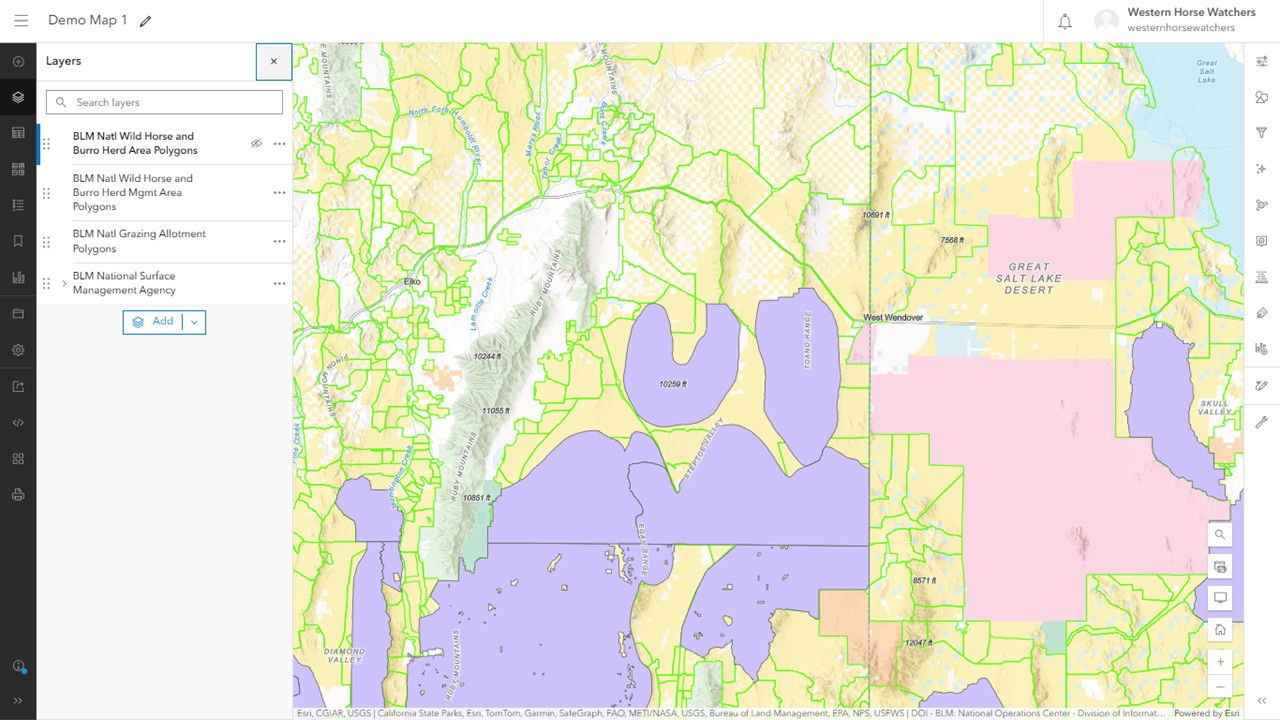
For example, here is a map of allotments and HMAs along the NV-UT state line, using the default colors and styles.
RELATED: NDV Workaround.
UPDATE: Sharing of the demo map above has been set to public, link should work now.
 Western Horse Watchers Association